 Dayframe
Small blocks make big days.
Dayframe is a day planner built around a timeline. Drop tasks onto your day like sticky notes on a schedule, focus on one thing at a time, and see where your time actually went.
Free to try in your browser. Your planner stays on your device unless you sign in.
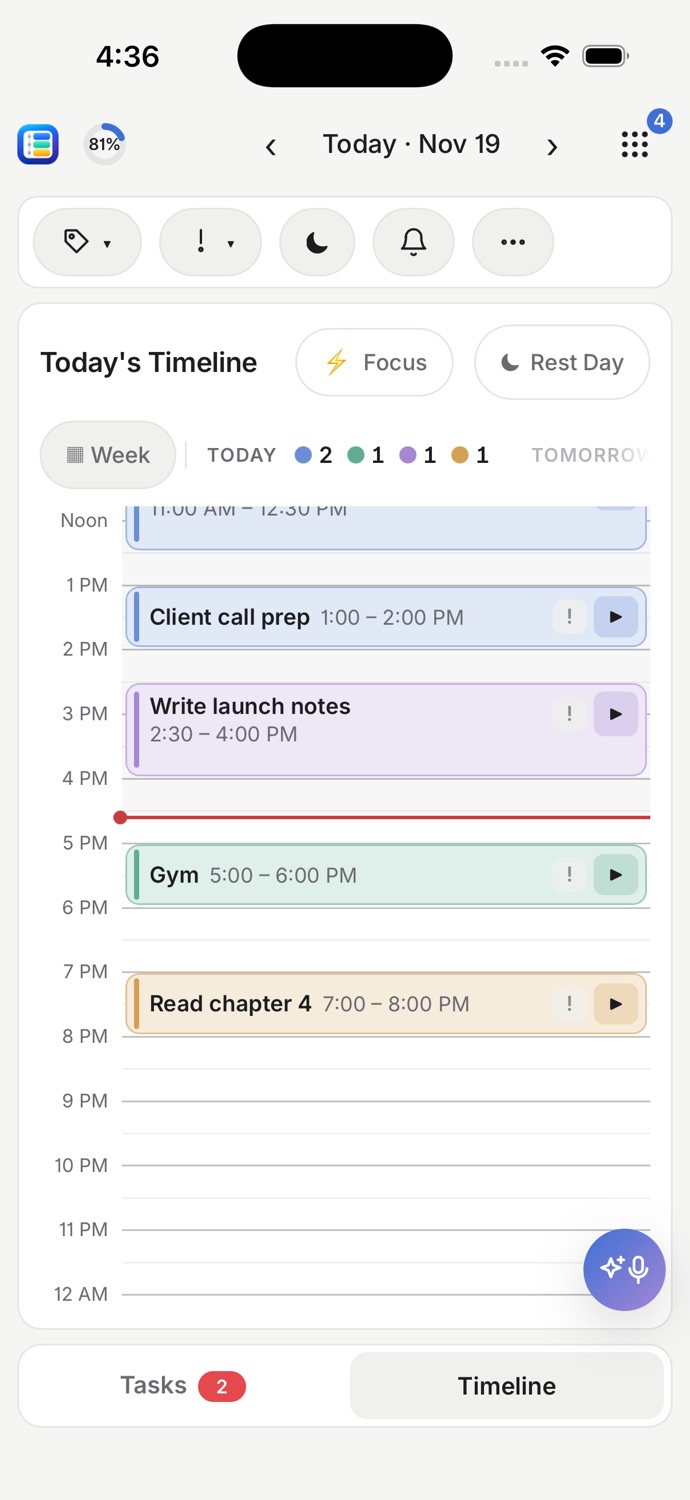
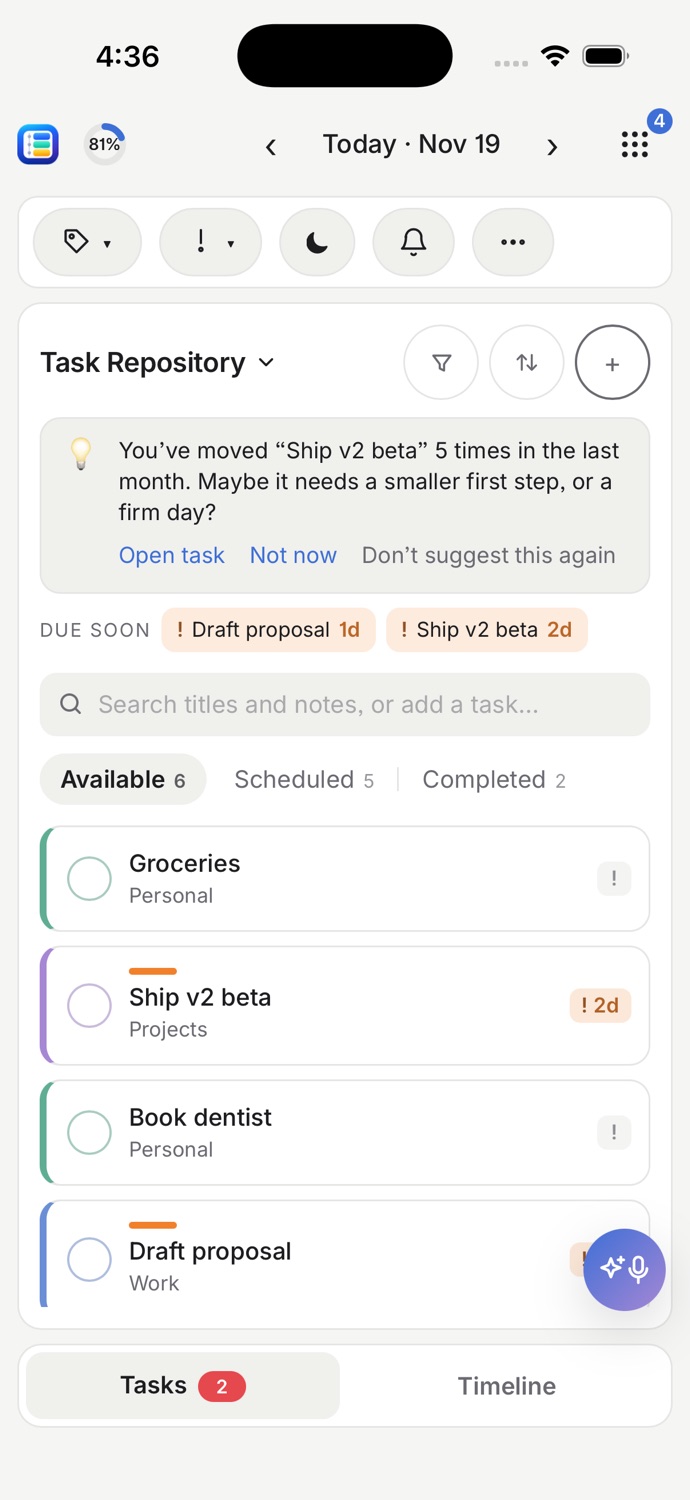
On your Mac, and in your pocket.
One planner on every screen. Your tasks on the left, your day on the right, and the week ahead a swipe away.
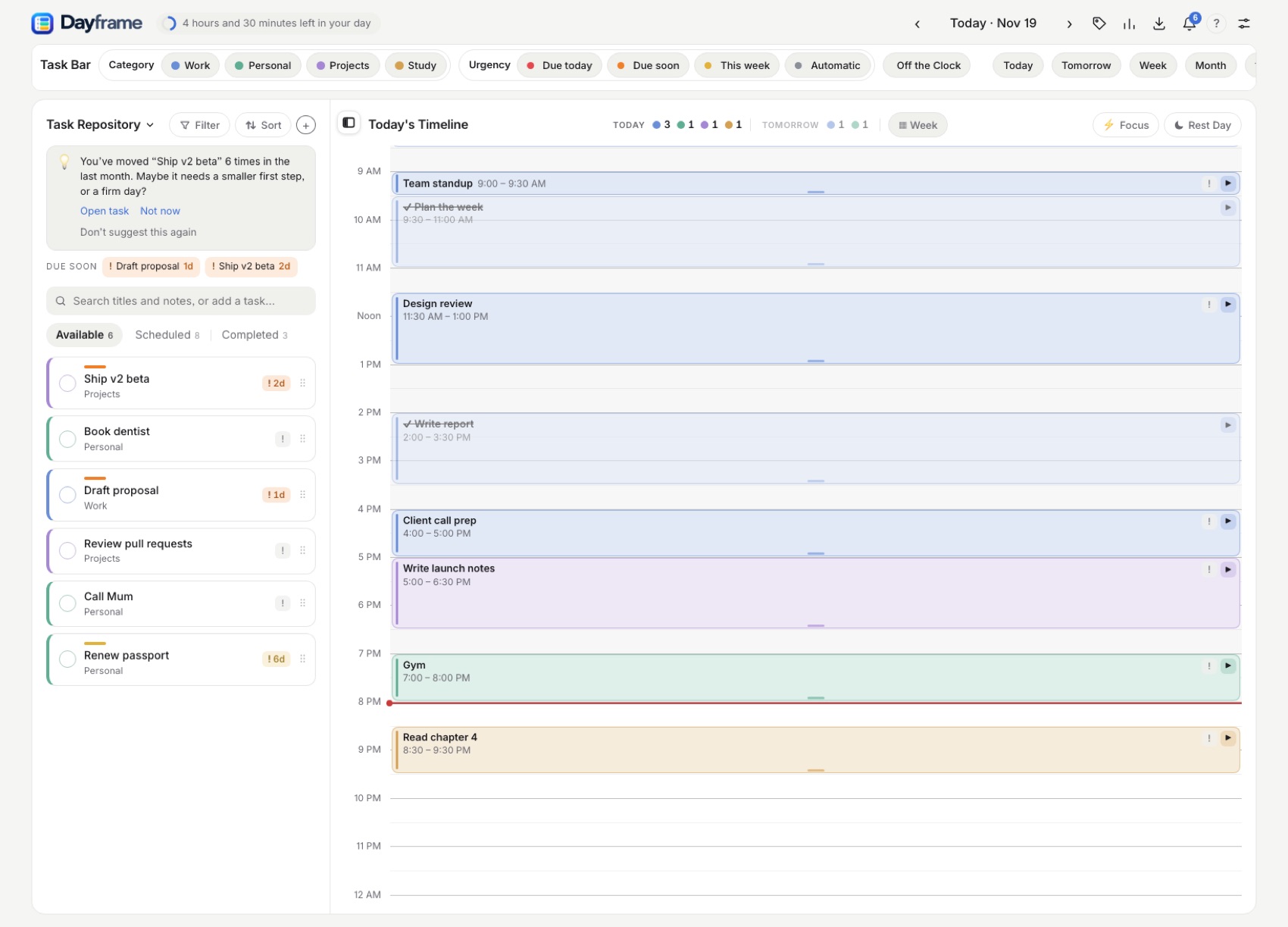
One place for the plan and the proof.
Most planners are lists. Dayframe puts your tasks where they will actually happen, then shows you what you did.
Plan on a timeline
Drag a task onto the day, stretch it to the length it needs, and see at a glance whether the day fits.
Focus on one thing
Start a focus session, throw tasks in as you go, and Dayframe puts the time you worked back on your timeline.
Learn from the week
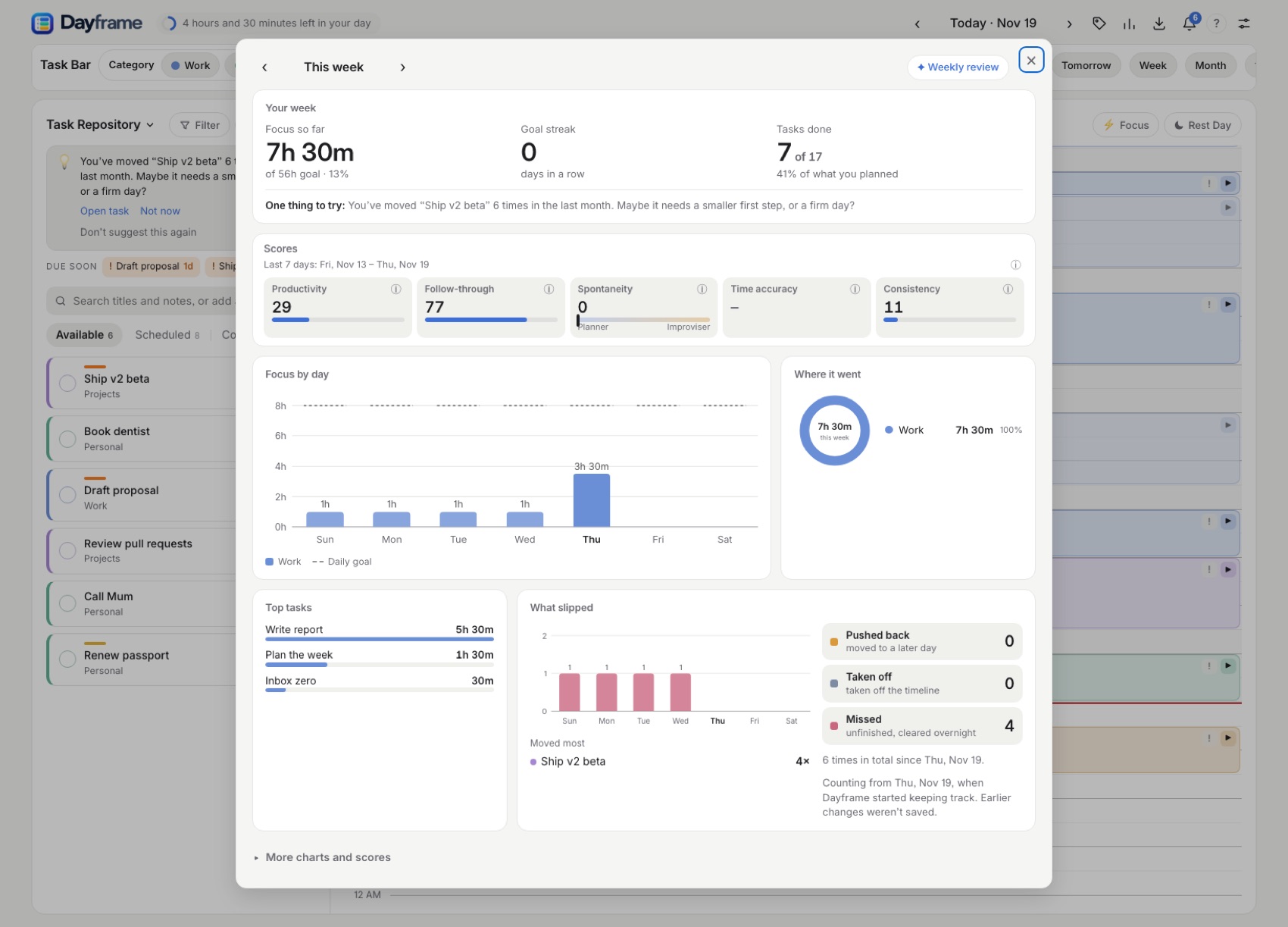
See your focus, your streak and what keeps slipping, with one suggestion to try next week.
How it works
Three steps. No setup, no account needed to start.
Throw tasks in as they come.
Type a task in the search box and press Enter. Give it a category and a due date if you like. Dayframe colours what is urgent, so the next thing to do stands out.
- Categories and urgency you can drag onto any task
- Due dates, parts of bigger tasks, and repeating tasks
Put each task where it will happen.
Drag tasks onto the timeline and drag the edges to set how long they take. Things that must happen today but have no set time go in an Anytime tray. Start the clock when you begin.
- Blocks snap to the grid you choose
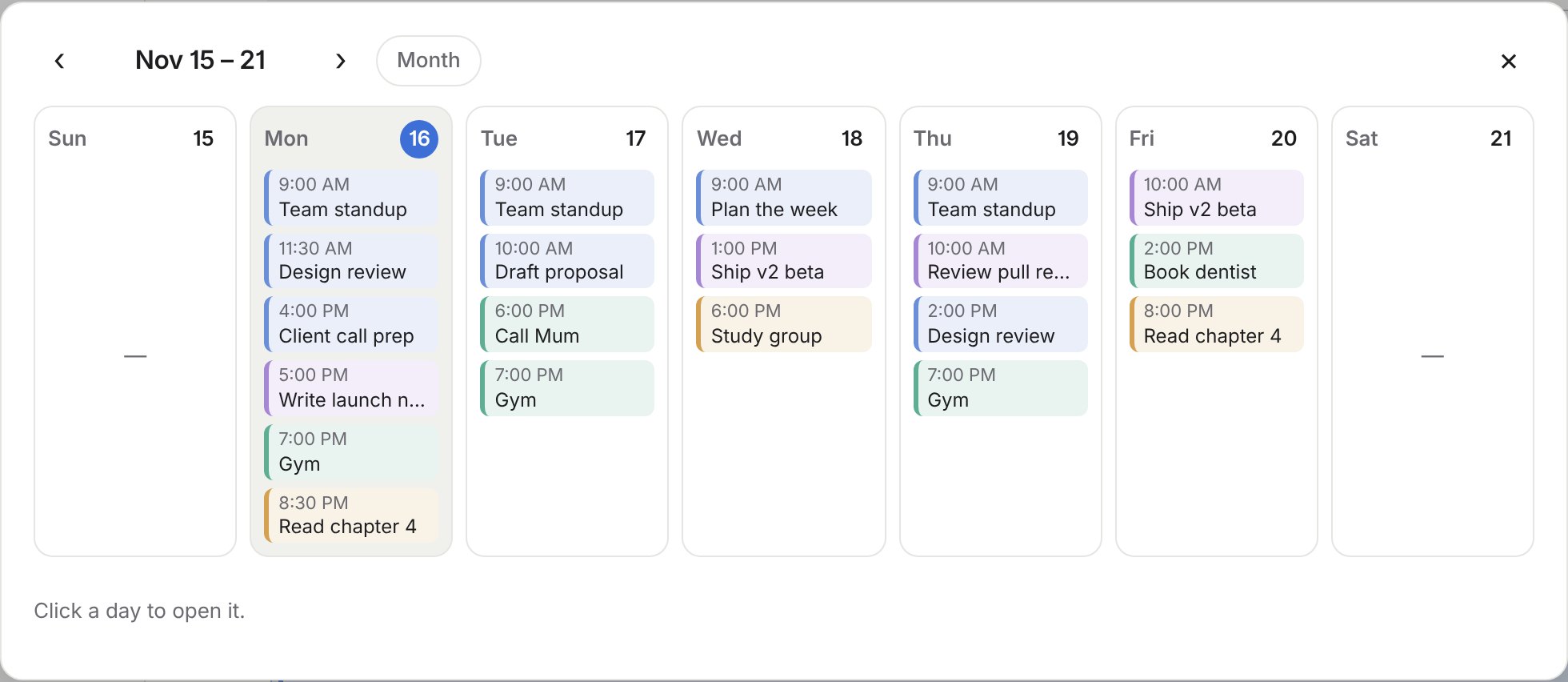
- Week and month views to see what is coming
- Reminders before a block starts
See how the week really went.
Your focus time against your goal, your streak, and how much of what you planned you finished. Dayframe also notices what you keep pushing back and suggests a smaller first step.
- A productive-goal ring in the header, all day
- Scores for productivity, follow-through and consistency
- Rest days that never break your streak
Everything a day needs, nothing it doesn't.
Start simple and turn on more as you want it. Dayframe has four levels, from a plain day plan to full measuring.
Free to use. Pay only if you want us to host it.
The planner is free. If you want your plan on every device with AI help, we can host it for you, or you can run it yourself and keep everything free.
Free
Everything for planning, on your device. No account.
- Timeline, categories, urgency, due dates, parts and repeating tasks
- Focus sessions, goal ring, Rest Days, week and month views
- Stats, scores and weekly review
- Works offline; export and import a backup any time
- Sync across devices
- Background reminders and calendar links
- AI assistant
Free + Self-host
Everything, free, if you bring your own data store and your own Gemini key.
- Everything in Free
- Sync across all your devices from your own database
- Reminders and Google Calendar, from your own setup
- AI assistant on your own Gemini API key
- No limits from us: you hold your data and your costs
- Setup is on you (a guide will come with it)
Cloud
We host your data and the AI. Nothing to set up.
- Everything in Free
- Sync across all your devices
- Reminders, Google Calendar and calendar links
- AI assistant: 25 requests a day
- Up to 5,000 tasks and 10 years of history
- Export or delete everything, any time
Plans, prices and limits are a preview and may change. Self-host and Cloud are not available yet. The free planner is.
Your day is yours.
Dayframe is built so that you do not have to trust us with more than you choose to.
- Your planner lives on your device. Nothing leaves it unless you sign in.
- No ads, no analytics, no tracking, and we never sell your data.
- You can erase everything yourself in Settings, any time.
“Small blocks make big days.”
Plan what fits. Do one thing at a time. Look back and plan a little better tomorrow.
Try your first day in a minute.
Pick what you are here for, and Dayframe sets itself up around you. No account needed.
Try Dayframe